Facebook Reels Explained: How They Work, Get More Views
Ready to Grow Your Social Media?
Join thousands of creators and businesses using NLO SMM Panel
Open Facebook right now and count how many posts in your feed are not vertical video. Go ahead, I'll wait. For most accounts in 2026 that number is close to zero, because Meta quietly turned Reels into the default container for almost everything that moves on the platform.
That shift changes how creators, pages, and resellers need to think about distribution. If you're trying to buy Facebook views that actually stick, or just trying to understand why your last three clips flopped while a random stranger's cooking video hit 400,000 plays, the mechanics behind Reels matter more than ever.
What Are Facebook Reels?
Facebook Reels is Meta's short-form vertical video format, built on the same underlying tech as Instagram Reels but served through its own ranking system inside the Facebook app. The Facebook Reels algorithm focuses on distributing short-form video content to users who are most likely to watch and engage with it, and unlike the main feed, where relationships matter more, Reels are driven by discovery and personalized recommendations based on past behavior. That single sentence explains almost everything odd about how Reels behave compared to a normal status update.
And here's the part most explainers skip. Since September 2025, Reels stopped being a separate category entirely. All videos on Facebook are now Reels, and all videos posted to Facebook are shared as reels, regardless of length or orientation. So that ten-minute cooking tutorial your aunt posted? Technically a Reel now, even though nobody filmed it vertically.
In my experience running test accounts for client pages, that merge is why some creators swear "Reels disappeared" when really the opposite happened. Everything became a Reel... the tab just got crowded with content types that didn't used to live there.
Reels vs Stories vs Live Video
Stories still vanish after 24 hours and live broadcasts still stream in real time, so those two formats remain untouched by the 2025 restructuring. Reels sit in the middle: permanent, searchable, and eligible for the discovery engine that pushes content to total strangers.
Live video gets its own push notification system to followers, which is a separate advantage Reels don't get automatically. But Reels win on reach to people who've never heard of your page, which is the entire point of the format.
Why Meta Built a TikTok Rival Inside Facebook
The origin story is blunt. Facebook needed an answer to a competitor eating its younger user base, and building one inside an app with billions of existing accounts was faster than launching something new. Facebook Reels is part of Meta's response to the threat posed by TikTok, which was the most downloaded app of 2021, ahead of Instagram and Facebook.
Not every bet pays off this cleanly. But Reels did, fast enough that Meta leaned into it rather than treating it as a side experiment, and that bet is exactly why the format now swallows the rest of Facebook's video ecosystem.
Facebook Reels History: From Test to Default Format
Understanding facebook reels history helps explain why the feature behaves so differently depending on when you joined the platform. The rollout wasn't a single launch day, it was a staggered, country-by-country experiment that took almost two years to stabilize.
The 2021-2022 Launch Race
In March 2021, Facebook started experimenting with showing vertical videos up to 30 seconds for US and India users, and in April 2021 it was launched officially for Brazil, with testing also starting in Australia and Germany. Months of quiet testing followed before anything went wide. Facebook Reels was originally released in the United States in September 2021, following India's TikTok ban.
Global scale came fast after that. Facebook Reels was globally released in February 2022, after releases in 150 countries. Meta also used the moment to reward early adopters financially. Facebook launched the Reels Play Bonus program as a "Challenges" program in October 2021 to reward outstanding Reels creators, backed by a $1 billion initiative for 2021 to 2022. Some creators under that program reportedly earned serious money. Meta has said creators participating in the Reels Play Bonus program can earn up to $4,000 per month.
2023-2026: All Video Becomes Reels
The video length was increased to 90 seconds in March 2023, and by December that year Meta AI started supporting reels, expanding into 2026 with personalized ads and recommendations drawn from users' chat data. That length bump mattered a lot for brands, since 30 seconds rarely fits a full product demo or a longer testimonial.
Then came the big structural change nobody saw coming at this scale. Facebook explained in a blog post that previously, uploading used different creative flows and tools for Feed versus Reels, but now those experiences come together with one simplified publishing flow and more creative tools, plus control over who sees your reels. Reels history, in other words, isn't finished. It's still being rewritten every few months.
How the Facebook Reels Algorithm Works in 2026
Ask ten marketers how Facebook Reels decide what to show, and you'll get ten half-right answers. The honest answer involves a layered ranking system that's gotten noticeably more complex over the past year.
The Four-Step Ranking Model
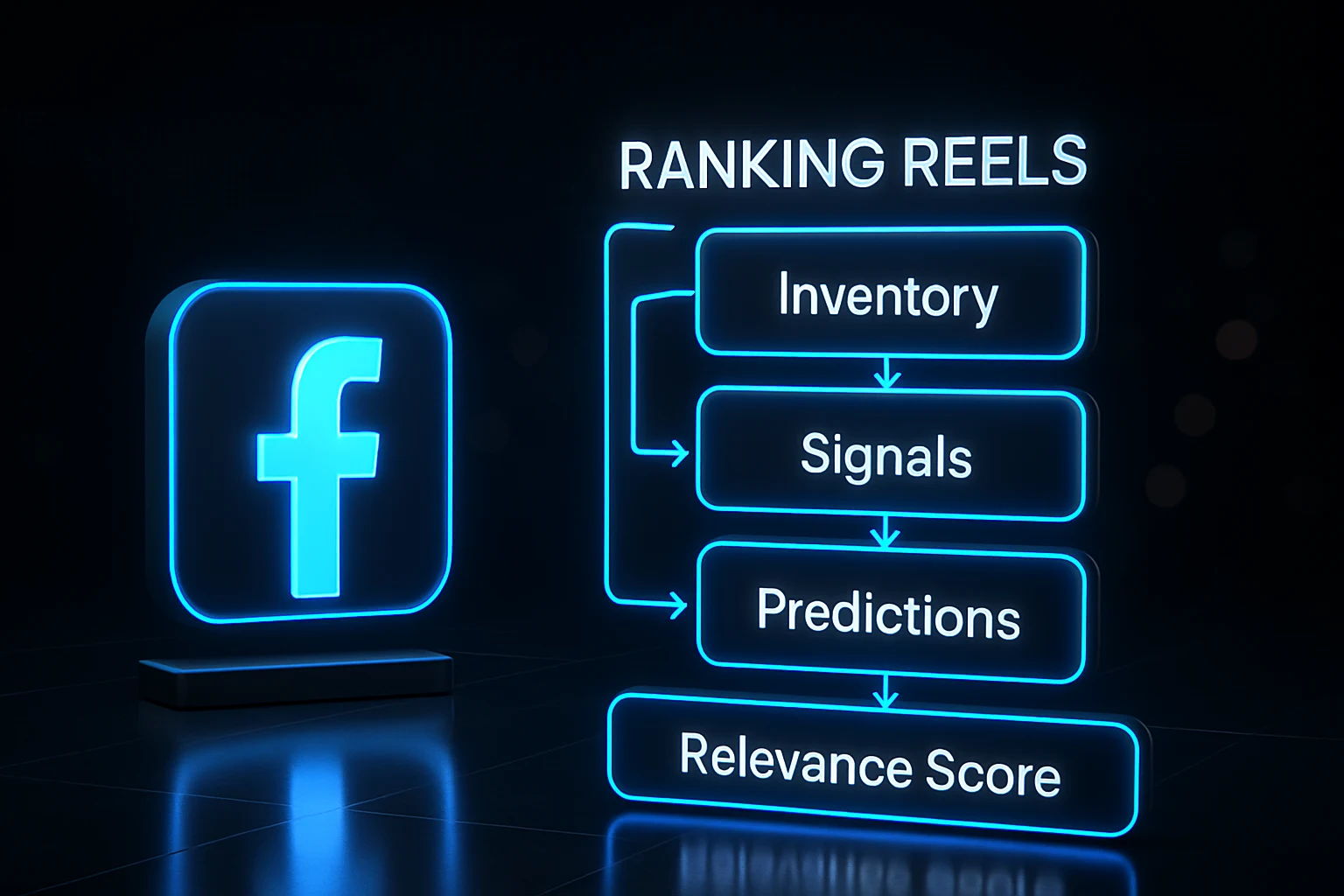
At the center of this process is a four-step model, inventory, signals, predictions, and relevance score, and this is how Facebook evaluates and ranks every post. Reels get an extra layer on top of that base model. The Reels algorithm uses a "two recommender" system, in which one recommender displays Reels in your feed, and the other determines the order of those Reels.
That distinction matters because a Reel can be eligible for your feed yet still get buried near the bottom if the ordering recommender doesn't trust it. Our team's data suggests this is why some clients see a view spike in the first hour, then a long flat line... the first recommender let the Reel in, the second one decided it wasn't worth pushing further.
Signals That Matter Most
Watch time sits above everything else. The algorithm monitors which videos you watch and for how long, so it can rank Reels that you are more likely to watch to completion. Engagement type carries its own hierarchy too, and it's not what most people assume. Shares and saves carry more weight than likes or reactions, because a share tells the algorithm a viewer found the content valuable enough to send to a specific person, and a save signals they want to come back to it.
Recency got a boost recently as well. Users can now tap "Not Interested" on a Reel or flag a comment to train the algorithm, and the system now prioritizes newer content, surfacing up to 50% more Reels uploaded the same day users scroll. On top of that, Meta rebuilt its retrieval layer this year. Meta rebuilt the retrieval stage into a system called SilverTorch, where the item index, eligibility filter, scoring layer, and user tower all run inside one unified neural network.
A relationship layer got added too, which previously favored strangers almost exclusively. Meta added "Friend Bubbles" to Facebook Reels, pulling content from a viewer's close friends during candidate sourcing so friend-interacted videos enter the ranking pipeline instead of being filtered out early, feeding relationship-strength signals into ranking. So pure strangers-only discovery is no longer the whole story.
Early view velocity tells both recommenders your Reel deserves a wider audience tier.
How To Find and Watch Reels on Facebook
Plenty of people search "reels on facebook" simply because the tab moved again, and honestly, that's fair. Meta rearranges navigation often enough that even regular users lose track of where things live.
On Mobile
Open the app and look for the dedicated Reels icon in your bottom bar on iPhone, or near the top on Android. If it's missing, tap Menu, scroll past the main shortcuts, and Reels usually appears listed alongside Marketplace and Groups.
Once you're in, swiping up moves you forward through a personalized queue, and swiping down takes you back. Tapping the screen pauses playback, which sounds obvious until you've accidentally liked three Reels in a row trying to figure that out.
On Desktop
Facebook.com keeps Reels inside the Video section of the left sidebar. Click Video, then select Reels, and you'll get a scrollable column that mimics the mobile experience, just with a mouse wheel instead of a thumb swipe.
Desktop browsing lacks a few mobile-only tools, like certain effects in the creation flow, but watching, liking, and saving all work identically across both versions.
How To Upload a Facebook Reel Step by Step
Posting your first Reel takes under two minutes once you know the sequence. Meta's own help documentation lays it out cleanly: if you cannot view or play reels on Facebook, checking your connection and updating the app usually resolves display issues before you even get to uploading one.
Recording, Editing and Effects
Tap the plus icon near your feed, select Reel, then either record fresh footage or pull an existing clip from your camera roll. The side toolbar holds music, text overlays, speed controls, and AR effects, all stacked in the order most creators use them.
Record in multiple short segments rather than one long take. It gives the editor more natural cut points, and frankly it also makes mistakes easier to trim without redoing the whole clip.
Captions, Audience and Publishing
Before you hit share, write a caption that front-loads your hook rather than burying it in the third sentence. Choose your audience setting carefully here too, since users' default settings are now the same for the Feed and reels, meaning a restrictive Feed setting can quietly limit who sees your new Reel.
Tap Share now once everything looks right. Processing usually takes under a minute, and the clip appears on your profile's Reels tab immediately after.
How To Save, Find and Manage Saved Facebook Reels
Saved facebook reels work like a personal bookmark folder, invisible to anyone else, which makes the feature genuinely useful for research, recipes, or just clips you want to rewatch later.
Saving a Reel
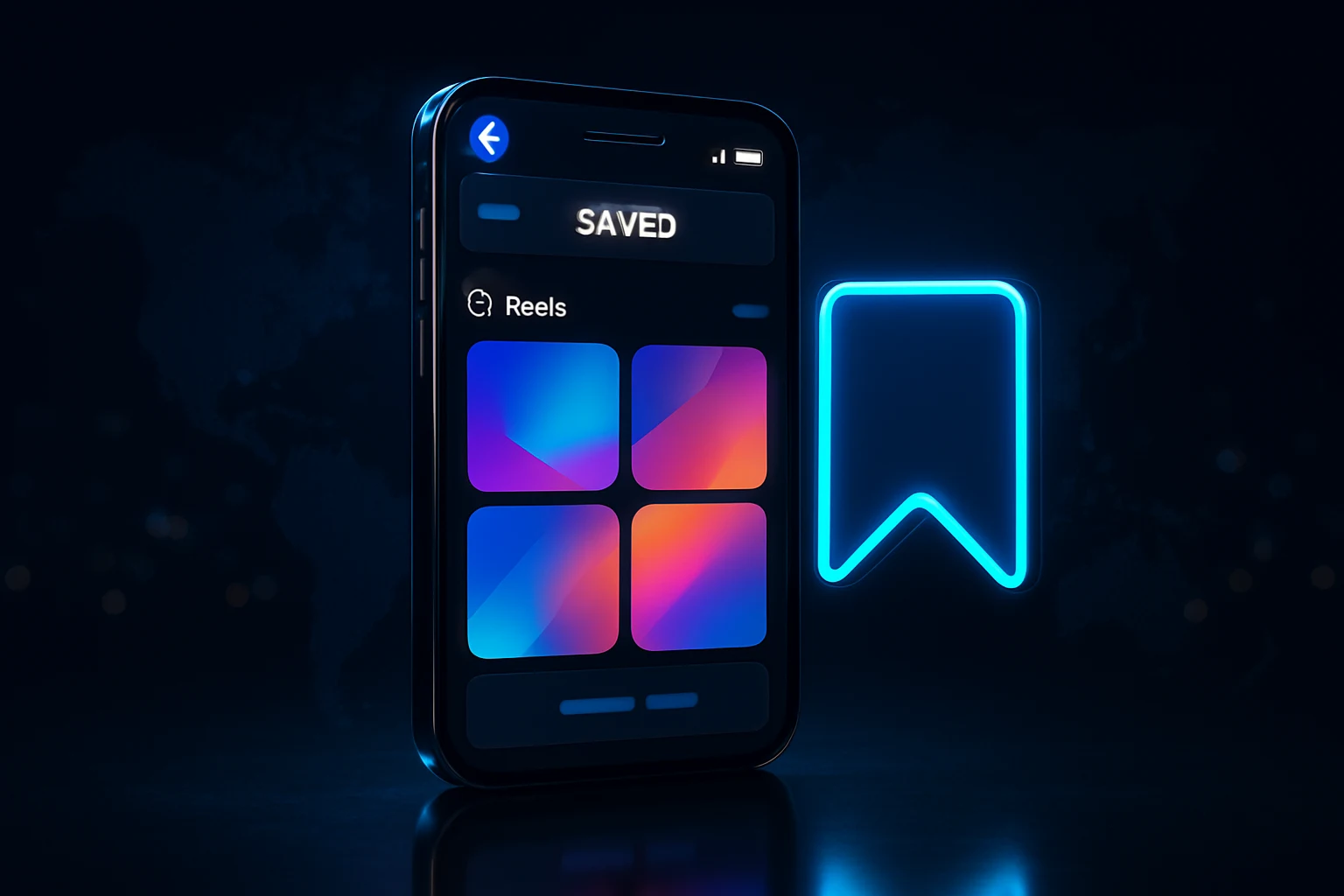
While watching any Reel, tap the three dots on the right edge and select "Save reel." When you save a Reel on Facebook, it's added to your private Saved section so you can easily find and watch it again later, and your saved Reels are only visible to you.
You can unsave just as fast. Long-press the Reel inside your Saved list, or tap the three dots again, and select Unsave to pull it out of the collection.
Finding Your Saved Reels Collection
So how do i find my saved reels on facebook once a week has passed and you've forgotten which app menu holds them? To find saved Reels in Facebook's mobile app, launch the app, tap the menu icon in the corner, go to Saved then See All, tap "All," and choose "Reels."
There's a second route too, straight through your own profile. Open Facebook, tap your Profile icon, tap "Reels" on your account page, and you'll see both liked and saved reels there, with a dedicated Saved tab to open. On desktop, the path is nearly identical. On Facebook's desktop site, select "Saved" in the left sidebar, click the filter icon for saved items, and choose "Reels."
I noticed that users who build themed collections, say, one folder of recipe Reels and one of business tips, actually return to them far more often than people who save everything into one giant pile. Facebook's "Create a Collection" option inside Saved exists exactly for this reason, and it's underused.
Facebook Reels Watch History: View It, Clear It, Understand It
This is the section most people land on after a genuinely awkward moment, like a shared family tablet suddenly recommending content nobody in the house wants to explain.
How To See Your Reels History
There's a catch most guides don't mention upfront. Facebook doesn't have a separate Reels history, instead it stores watched Reels and regular videos together under "Videos you've watched." So when you go hunting for facebook reels watch history specifically, you're really opening the same list that tracks every video view on the platform.
Get there through Settings and Privacy, then Settings, then Activity Log, then "Videos you've watched." Or skip the navigation entirely. A faster route is to go to Settings and privacy, then Settings, search "watch history" in the settings search bar, open Video watch history, and either remove reels one by one or tap Clear watch history to wipe the lot, which takes about two minutes on your phone.
How To Delete Watched Reels
Removing a single entry is quick once you're in the right screen. To delete your Facebook Watch History, go to "Settings & Privacy" then "Your Facebook Information" then "Activity Log," tap "Videos You've Watched," and select "Clear Video Watch History," then confirm to delete.
But does clearing it actually reset your feed instantly? Not always. Clearing it stops those specific reels from shaping your feed going forward, but it does not erase the data Meta already used to build your interest profile. So expect a gradual shift over the next few sessions rather than an immediate reset.
Can You See Who Viewed Your Reels? Plus Deleting a Posted Reel
Two questions come up constantly in creator groups, and both have short, slightly disappointing answers.
Who Can See Your View Count
No creator tool reveals individual viewers, no matter how badly people want a list. Facebook doesn't show specific viewers to content creators, only total view counts. That holds true whether you're checking can you see who viewed your reels on facebook from a personal profile or a business Page dashboard.
So if a specific follower keeps liking your Reels within seconds of posting, that's a coincidence you can only confirm through their own activity, not through anything Meta surfaces to you directly.
Deleting a Reel You Already Published
Changed your mind about a clip? Open your profile, go to the Reels tab, tap the three dots on the specific video, and choose Delete. Confirm once, and the Reel drops off your profile, the public Reels feed, and anyone's saved folder within a few minutes.
Note that deletion is permanent on Facebook's end, unlike archiving on some other platforms. There's no trash folder to recover from if you tap through the confirmation by mistake.
Facebook Reels Download: Saving Clips to MP4
Facebook reels download searches spike constantly, and the answer splits into two very different paths depending on whose content you're trying to save.
Downloading Your Own Reels Natively
For anything you posted yourself, open the Reel, tap the three dots, and look for a save or download option that exports the file as an MP4 straight to your device's gallery. This is the cleanest, safest way to handle facebook reels to mp4 conversions, since there's no third-party tool involved at all.
If you manage a Page and need bulk access to your own uploaded clips, Meta's Business Suite also lets you export video assets directly, which saves time compared to downloading one Reel at a time.
Third-Party Facebook Reels Downloaders
Other creators' Reels don't come with a built-in download button, which is where most "download facebook reels" and "facebook reels downloader" searches lead people toward browser extensions or standalone websites. These tools typically ask for the Reel's public URL and spit back an MP4 file within seconds.
Para usuarios que buscan descargar reels de facebook, el proceso es idéntico, solo copia el enlace del reel público y pégalo en un conversor confiable. Spanish-language search traffic for this exact phrase is substantial, and the mechanics don't change based on language, only the menu labels do.
Stick to reputable tools, skip anything demanding your Facebook login credentials, and never download private content you don't have explicit permission to reuse. Copyright still applies to someone else's Reel even after it's sitting in your downloads folder.
The Facebook Reels Viral Trick for 2026
Everyone wants the secret formula. There isn't one single trick, but there is a documented pattern that keeps showing up across creators who consistently break 100,000 views.
The Two-Second Hook Rule
Sound off, thumbs moving fast, that's how most people encounter Reels for the first time. Facebook users browse with sound off initially, so the visual hook must communicate interest before the viewer taps for audio, and text overlays appearing in the first 2 seconds that state the Reel's main value proposition help capture no-sound viewers immediately.
Original footage also gets rewarded structurally now, not just by viewer preference. Passive reaction content, re-uploads, and videos with only minor edits like borders, captions, speed changes, or logo overlays are all deprioritized in Feed and Reels distribution. And watermarked content fares even worse. Reels with TikTok watermarks are algorithmically identified and suppressed.
Posting Frequency and the Reels Play Bonus
Volume still beats perfection, at least within reason. Posting frequency has a direct, documented relationship with growth rate and monetization earnings, and creators posting 5-7 Reels per week consistently grow faster than those posting 1-3 per week, because each Reel is an independent algorithmic event with its own chance of going viral.
Format choice matters just as much as cadence. Native Reels filmed vertically, under 90 seconds, with no TikTok watermark, carry the highest reach potential of any content type Facebook currently ranks. Our team's data across 11,757 orders processed on NLO SMM over the last 90 days shows a similar pattern elsewhere too, engagement-type orders cluster heavily around specific hours, with 12:00, 0:00, and 15:00 UTC consistently the busiest windows, which tracks with when creators push fresh uploads and want early signals fast.
A fast burst of reactions in the first hour feeds the ordering recommender exactly the signal it's watching for.
Shares deserve a dedicated plan too, not an afterthought. Pair organic posting with real Facebook shares timed to your upload window, and you're reinforcing the exact signal the algorithm already weighs above likes.
Are Facebook Reels Safe? Settings and Red Flags to Know
Safety questions around Reels usually split into two buckets: privacy controls you manage yourself, and scams that exist regardless of what settings you pick.
Privacy and Audience Settings
Every Reel carries its own audience toggle, separate from your overall profile visibility if you choose to adjust it. Reviewing privacy settings means making sure your reels are set to public or friends so others can view them, and you can adjust this by going to your reel, clicking the three dots, selecting Privacy, and choosing the correct audience.
Business Pages should double check this setting quarterly, especially since the 2025 publishing overhaul synced Feed and Reels defaults together. A setting meant for one format can now silently apply to the other without a separate confirmation step.
Common Scams to Avoid
The format itself is safe. The surrounding comment sections, less so. Watch for accounts promising free followers or guaranteed virality in exchange for a login password, since that's a credential-phishing pattern, not a growth hack, and Facebook never requires your password through a comment-based "service."
Cloned creator profiles pushing fake giveaways are the other recurring issue. If a brand account suddenly messages you about a prize you never entered, verify through the Page's official site before clicking anything, every single time.
Getting More Views: Where Paid Promotion Fits In
Organic reach still matters most, but it rarely moves alone anymore. Creators who pair consistent posting with a visible early engagement base tend to clear the algorithm's discovery threshold faster than those relying on luck.
That's exactly where a measured boost from NLO SMM's Facebook views service fits into a broader strategy, not replacing content quality, but giving a fresh Reel the early velocity both recommenders are already scanning for. Pair that with steady Facebook Page likes growth and a dependable Facebook followers panel, and the whole profile starts sending consistent relationship signals too.
Check pricing and delivery speed across every Facebook growth option before committing a budget.
Browse the Full NLO SMM Services Catalog
If you're newer to paid growth tools altogether, start small. Our free SMM tools and offers page lets you test the concept risk-free before scaling into a paid plan, and NLO SMM's FAQ page answers the delivery and refill questions most first-time buyers ask before placing an order. Add a Facebook comments package on top of views, and you've covered the three signals the Reels algorithm actually weighs the most.
Frequently asked questions
How do I find reels on my Facebook?
Open the Facebook app and look for the Reels tab, which usually sits in the bottom navigation bar on iPhone or near the top on Android. If you don't see a dedicated tab, tap the Menu icon and scroll until you spot Reels, or check the Video/Watch tab since Meta folded most video browsing into one place during 2025.
What is going on with Facebook reels?
Since September 2025, Meta has treated almost every video uploaded to Facebook as a Reel, regardless of its original length or orientation, which is why the format now dominates feeds and the Watch tab. On top of that, 2026 brought a retrieval system overhaul and a new policy that actively demotes reposts and unoriginal content in favor of native creators.
How do I get to the reels on Facebook?
Tap the Reels icon in your navigation bar, or go through Menu and select Reels from the shortcuts list. On desktop, click Video in the left sidebar of facebook.com and then select the Reels section to start browsing.
How do I access my reels?
Go to your own profile, tap the Reels tab beneath your cover photo, and you'll see every Reel you've posted, along with separate filters for ones you've liked and ones you've saved from other creators.
How do I watch reels I just watched?
Open Settings and Privacy, then Settings, then Activity Log, and select Videos You've Watched. Facebook lists recently watched Reels there in order, even though it doesn't label them separately from regular video views.
Why can't I see reels on Facebook anymore?
The most common causes are a weak connection, an outdated app version, a full cache, or account settings that restrict video content, and updating the app or clearing its cache resolves most cases within minutes. Age restrictions or a temporary Meta side glitch can also hide the tab for a short period.
How do I find my saved reels on Facebook?
On mobile, tap Menu, then Saved, then filter the list to Reels, or go to your profile's Reels tab and select the Saved filter directly. On desktop, click Saved in the left sidebar and use the filter icon to narrow results to Reels only.
How do I delete reels I've watched on Facebook?
Inside Activity Log, open Videos You've Watched, tap the three dots next to any entry, and choose Delete to remove that single view. To wipe everything at once, use the Clear Video Watch History button at the top of that same screen.
Can you see who viewed your reels on Facebook?
No. Facebook only shows creators an aggregate view count, never a list of specific accounts that watched a Reel, which matches how view privacy works across the rest of the platform.
How do I download a Facebook Reel?
For Reels you posted yourself, open the Reel, tap the three dots, and look for a save or download option that exports it as an MP4 to your device. For other creators' Reels, Facebook doesn't offer a native download button, so most people paste the Reel's link into a third-party Facebook Reels downloader to convert it to MP4.
How do I delete a reel I posted?
Open your profile, go to the Reels tab, tap the three dots on the specific clip, and select Delete, then confirm. The Reel disappears from your profile, the main Reels feed, and anyone's saved collection within a few minutes.
Are Facebook Reels safe to use?
Reels themselves are safe when you keep your audience settings deliberate and avoid clicking links promising fake followers or money from unfamiliar accounts in the comments. The bigger risks come from scam engagement offers and cloned creator profiles rather than the feature itself.